Document your work and share it with clients — no friction
Grivox is the platform for creating technical documentation organized by workspaces and delivering it to your clients via a password-protected link — no account required on their end.
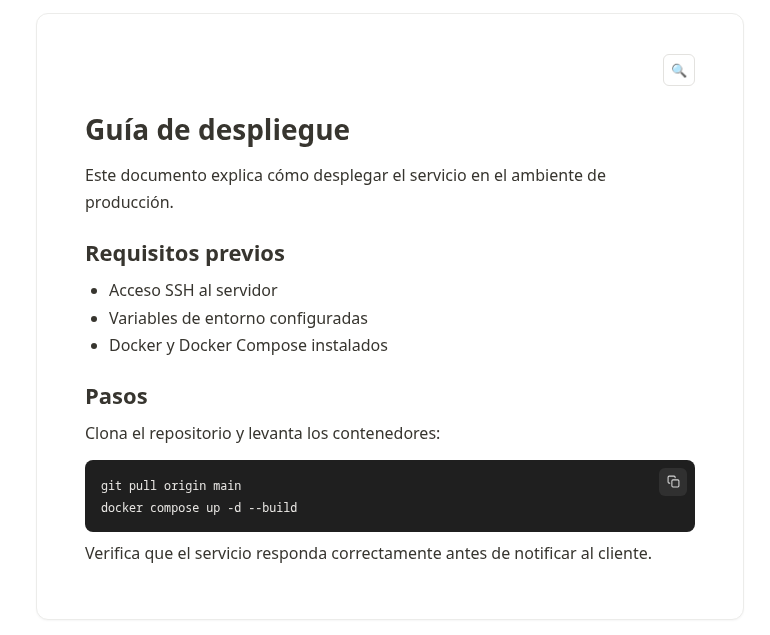
Built for freelancers, agencies, and teams who deliver technical documentation to clients
Everything you need to document and deliver
Notion-style editor
Text blocks, images with captions, code with one-click copy, and links between documents in the same workspace.
Share with a link
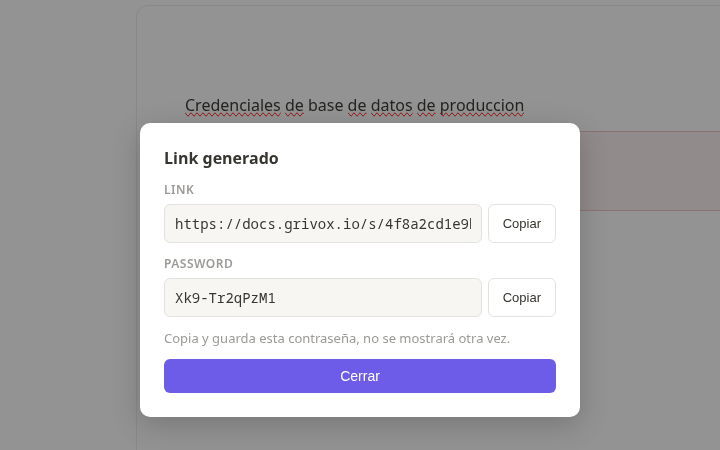
Generate a link and auto-password per workspace. Your client opens it, types the password, and they're in — no account, no friction.
Per-document password
Protect specific documents with their own password, even inside a link that's already unlocked.
Encrypted sections
Encrypt specific blocks of sensitive content with their own password, processed entirely in the client's browser.
Teams with roles
Invite your team to contribute and control which workspaces each person can access.
Instant search
Find any document or reference inside a workspace in seconds.
Three-layer access control
Not all content in a workspace is equally sensitive. Grivox lets you protect exactly what you need, with a zero trust approach: the password for an encrypted section is never stored on the server, so not even the workspace admin can read that content without it.
Grant access with a link
Share an entire workspace with a link and an auto-generated password. That's all it takes to give a client access — no account required.
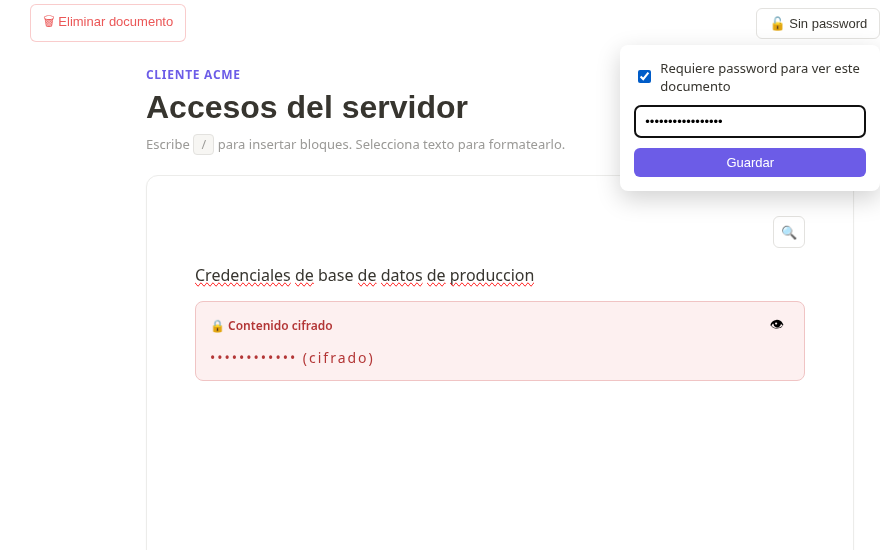
Lock a specific document
Inside an already-unlocked link, you can require an additional password for a specific document — so not everyone with the general link can access that section.
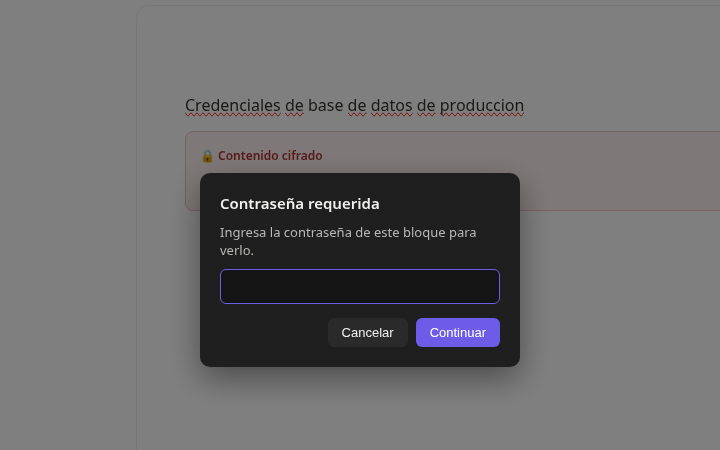
Encrypt a section, zero trust
Encrypt a content block with its own password, generated and verified entirely in the browser. That password is never stored anywhere — not even Grivox or you, as the admin, can read the content without it.
The latest additions to Grivox
We keep shipping features built around real client workflows: approvals, quotes, and documents you never want to lose.
Digital signatures
Mark a document as "requires signature" and your client uploads it directly from the shared link. You can add your own approval too — all signatures appear together at the end of the document.
Import documents
If someone shares a Grivox document with you, import it into your own workspace as a read-only copy — you never lose it, even if the original changes ownership.
Tables and quotes
Right-click to insert tables and add or remove rows and columns like a spreadsheet, or use a quote block with automatic subtotal and total calculation.
PDFs with real encryption
Attach PDFs and protect them with a password that's encrypted in the browser before uploading. Not even Grivox can read the file without it.
Expiring links
Set how many times a shared link can be opened or when it stops working — you control how long access lasts.
Polished editing menus
Table, image, and block controls with a cleaner, more professional design — looks great even when your client is viewing it.
Comments like Google Docs
Select any text fragment, leave it highlighted, and comment right there. Resolve when handled or delete if it no longer applies.
Chapter navigation
At the end of each document, buttons let you jump to the next or previous one without going back to the menu — perfect for reading long docs in one flow.
Built for tablet and mobile
The editor adapts to small screens with a hamburger menu, and switching documents always scrolls back to the top.
Why not just use GitBook or Confluence?
They're great tools, but they weren't designed to deliver documentation to external clients in a simple, fast, and protected way. Grivox is.
From zero to delivered documentation in minutes
Create your free account
Sign up and organize your workspaces by project or by client.
Document without friction
Use the block editor to write, capture screenshots, and save commands.
Share the link
Generate the protected link and send it to your client. That simple.
What people are saying about Grivox
"I used to send documentation as loose PDFs over email. With Grivox I set up a workspace per client and share a password-protected link in seconds."
"Digital signatures saved us so many back-and-forth emails to get client approvals on quotes. Everything stays organized in one place."
"The section encryption is what I use most — I can send sensitive credentials without worry. It could use more customization, but it's already indispensable for my team."
Start documenting today, for free
Create your account, build your first workspace, and share your first link in minutes.
Get started free